PrivateCite
Designed, built and shipped PrivateCite, a Windows application for document research and report writing. The application integrates document conversion, OCR, custom retrieval, local GPU inference and multi-stage evidence analysis.
Reports include an executive summary, topic sections and citations linked to the supporting passages. PrivateCite is designed for specialist reports, doctrine, technical references and internal research that users need to keep on their own computers.
Visit the PrivateCite website - Open in Microsoft Store
Engineering Scope
Developed in response to requests to analyse specialist operational training reports and doctrine, with citations linking findings to the source material.
Implemented the file monitor, indexing infrastructure, application interface and analysis orchestration, integrating specialised document-processing and ML components:
| Component | Implementation and responsibility |
|---|---|
| Folder monitoring | Custom file monitor and incremental updates to keep selected project collections current. |
| Document preparation | Docling integration for document conversion and OCR. |
| Retrieval | SPLADE sparse representations, a custom indexer using sparse-array storage and Roaring bitmap indexes, and cross-encoder reranking. |
| Local inference | Vulkan-accelerated llama.cpp integration for compatible NVIDIA and AMD GPUs. The app downloads and validates the included model and manages inference setup and execution. |
| Evidence analysis | Custom orchestration and specialised prompts for grouping evidence, assessing relevance and producing cited topic analyses before the final analytical answer. |
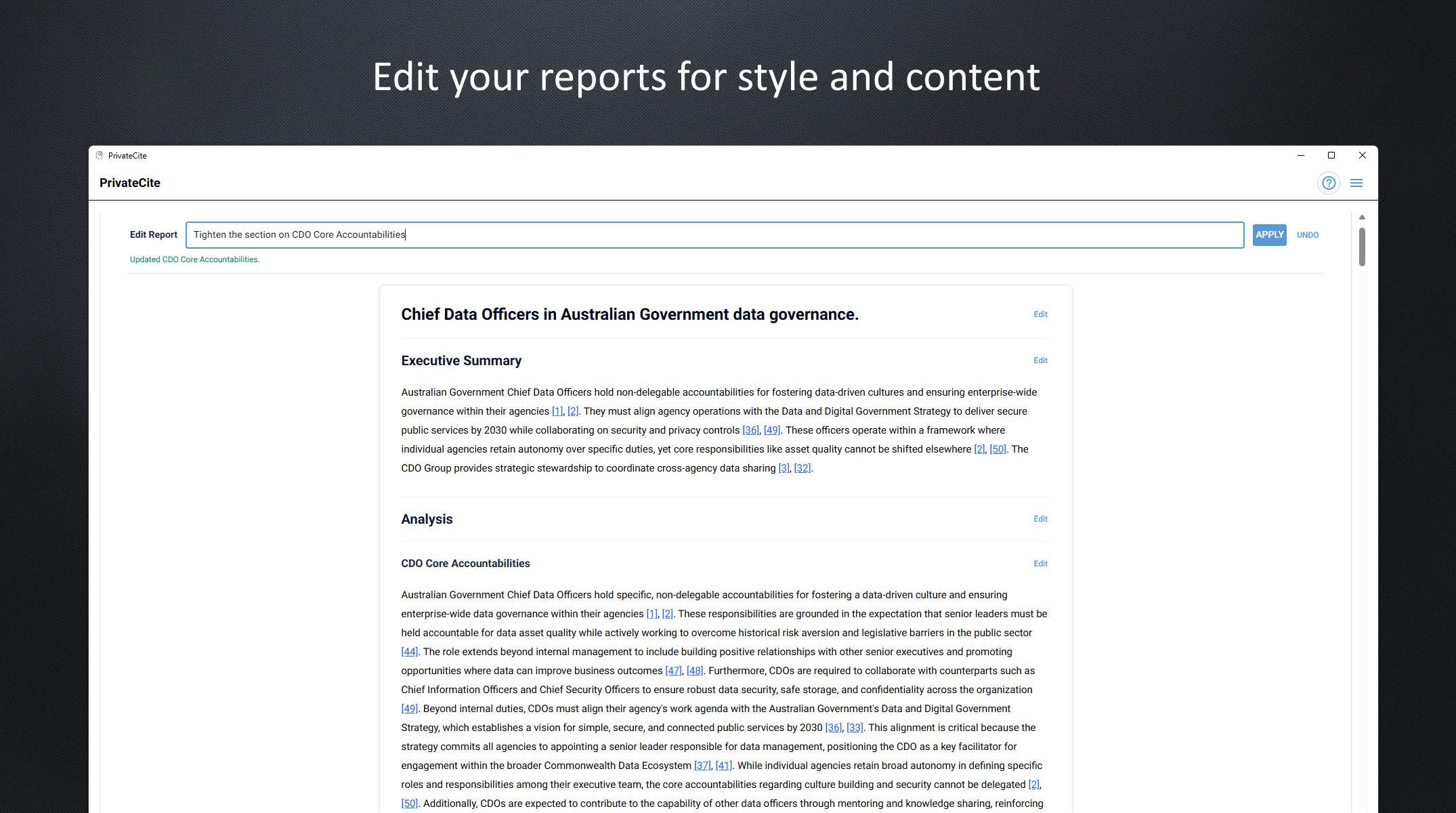
| Research and report interface | Custom UI for source inspection, topic selection, report generation, manual edits and targeted AI revisions. |
| Distribution | Windows application packaging and Microsoft Store delivery. |
From Documents to a Report
Prepare and Search
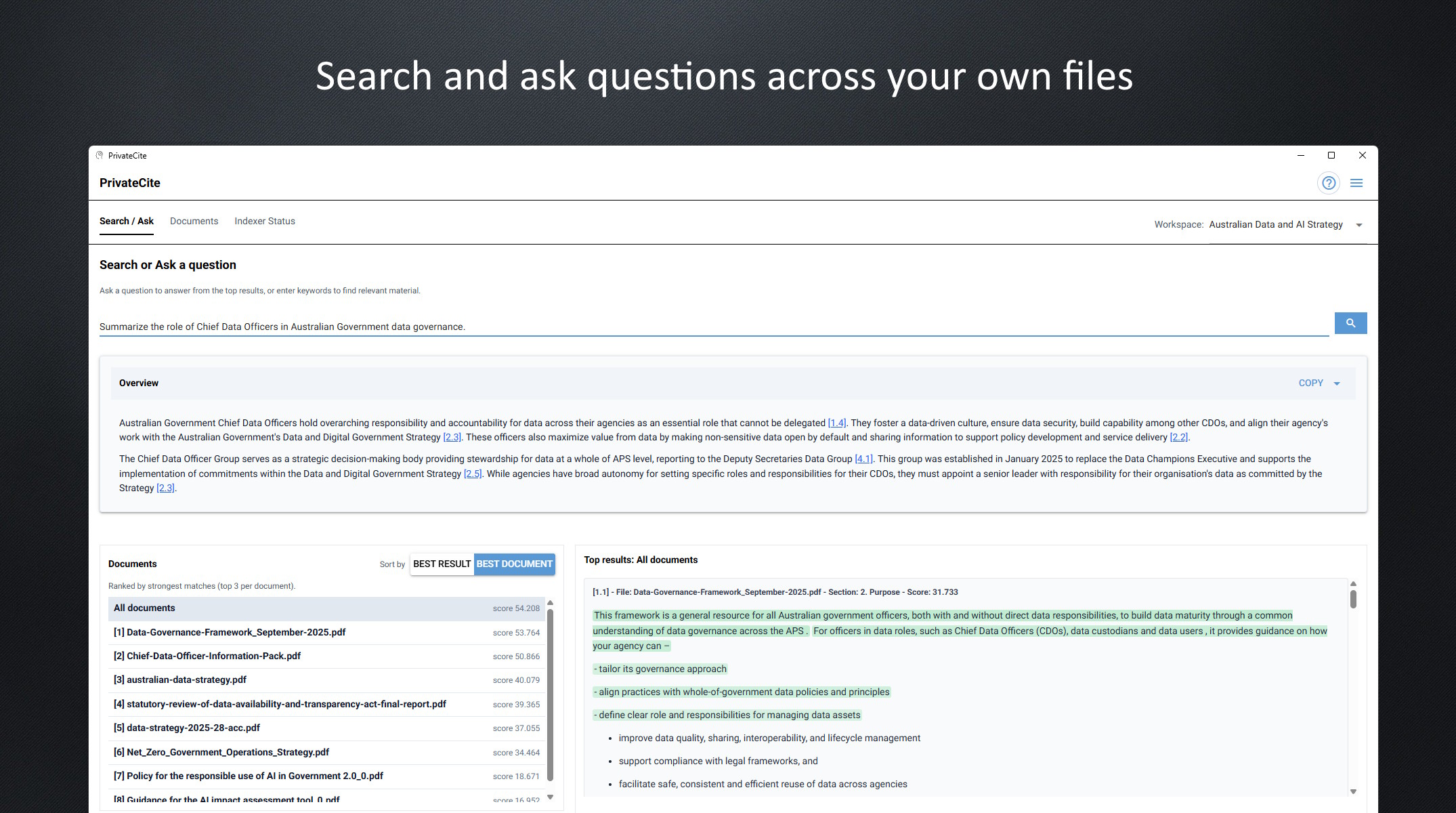
PrivateCite monitors selected project folders, converts supported documents, processes scans with OCR and maintains their indexes as files change. Search combines sparse retrieval with reranking. Users can inspect ranked passages, highlighted sources and a short cited overview before starting a separate analysis stage.
Analyse the Retrieved Evidence
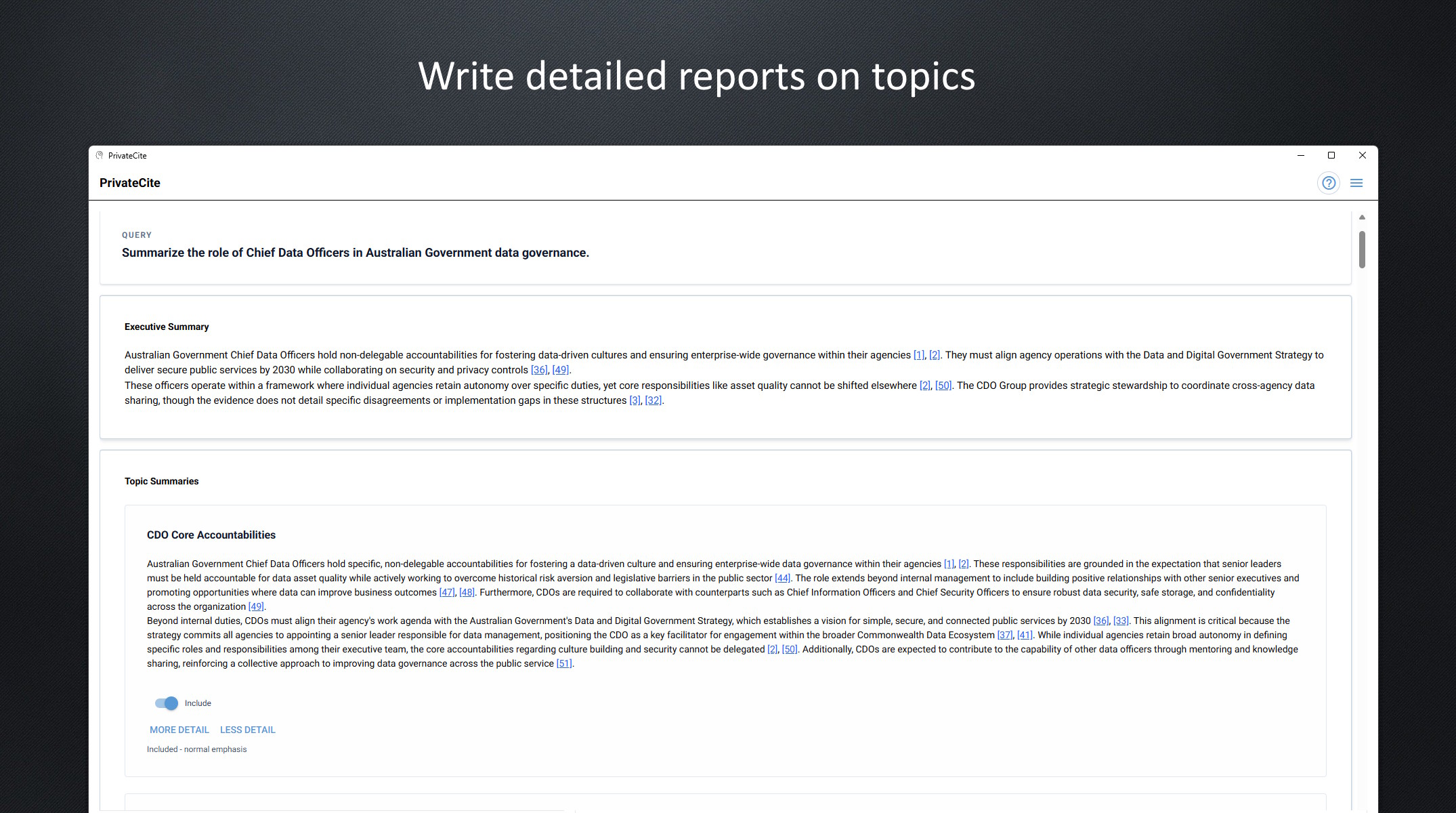
Analysis groups duplicate or similar evidence, uses LLM classification to assess relevance, filters irrelevant groups and generates cited topic summaries. The final analytical answer is produced after the topic analysis. Analysis is limited to retrieved evidence; it does not review every document in the collection.
Users choose which topics to include and adjust their level of detail before generating the report.
Generate and Edit
A separate generation stage writes the report from the reviewed analysis and selected topics. The Report Editor supports manual section edits, targeted AI revisions, formatted copying into Word, plain-text copying and printing.
Citations remain linked to source passages through analysis, report generation and editing. Users need to check that those passages support the conclusions.
Local Inference and Deployment
The application downloads and validates the included model, configures inference and manages GPU execution through Vulkan. Local use requires no API key or separate model server.
Document processing, retrieval, analysis and report generation run on the user's computer. Internet access is required for the initial model download; local use works offline afterwards. PrivateCite includes no telemetry or crash reporting.
An optional OpenAI-compatible endpoint supports models hosted on a private LAN. Prompts and retrieved passages are sent to the configured endpoint. Model output requires review regardless of where inference runs.
About the developer - Email: tech@seerware.com